


Test APIs in VS Code. Use REST Client, send requests, analyze responses.
VS Code has established itself quite quickly on the IT market as a comprehensive programming environment for virtually any technology. First of all, Microsoft made it available for free, capturing the market of hobbyists who did not need a paid environment. In addition, the idea of Open Source caused the community to "pimp" Code with great enthusiasm using an open interface for extensions.
In my daily workbench, VSCode serves primarily as a quick programming notebook with syntax coloring and as a set of tools useful in everyday work. And I would like to show the other side today. What if VS Code replaced dedicated tools for REST interfaces?
Extension – REST Client
Chinese developer Huachao Mao published an extension on the marketplace in 2016 RESTClient, which has stormed onto the list of the most popular add-ons for VS Code. Currently, in my opinion, this is one of the most interesting extensions that appeared on Marketplace.
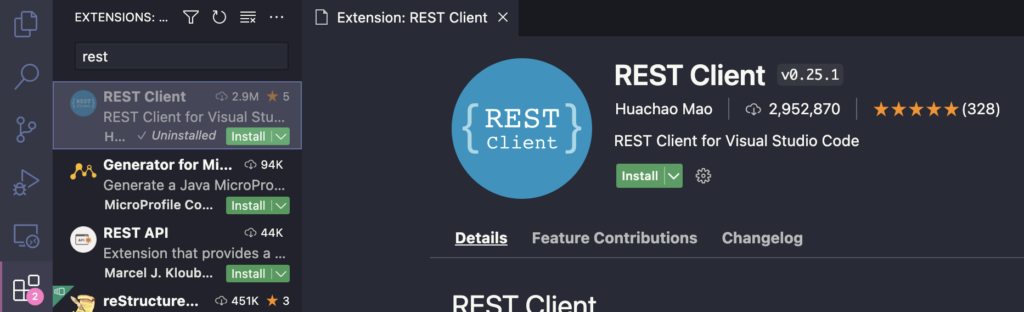
Installation
To install the plug-in, simply search for it in the Extensions tab and click install.
Basic use
To start using the REST Client, we need to create a file with the extension .http or .rest
and call the sample Endpoint using protocol syntax RFC 2616.
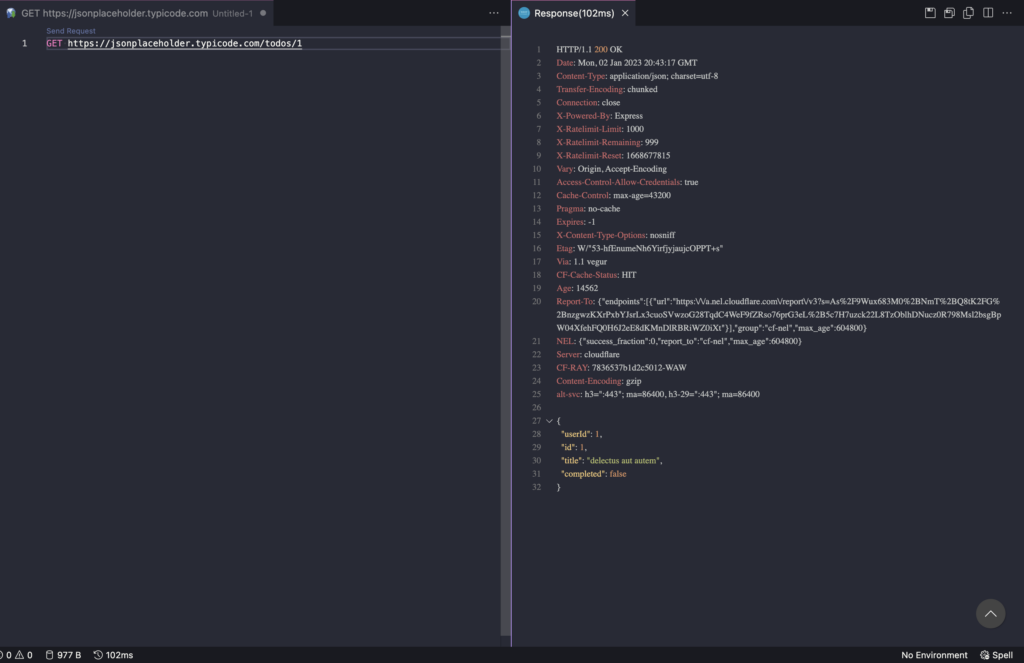
After clicking the “Send Request” button, we will receive a response from the server.
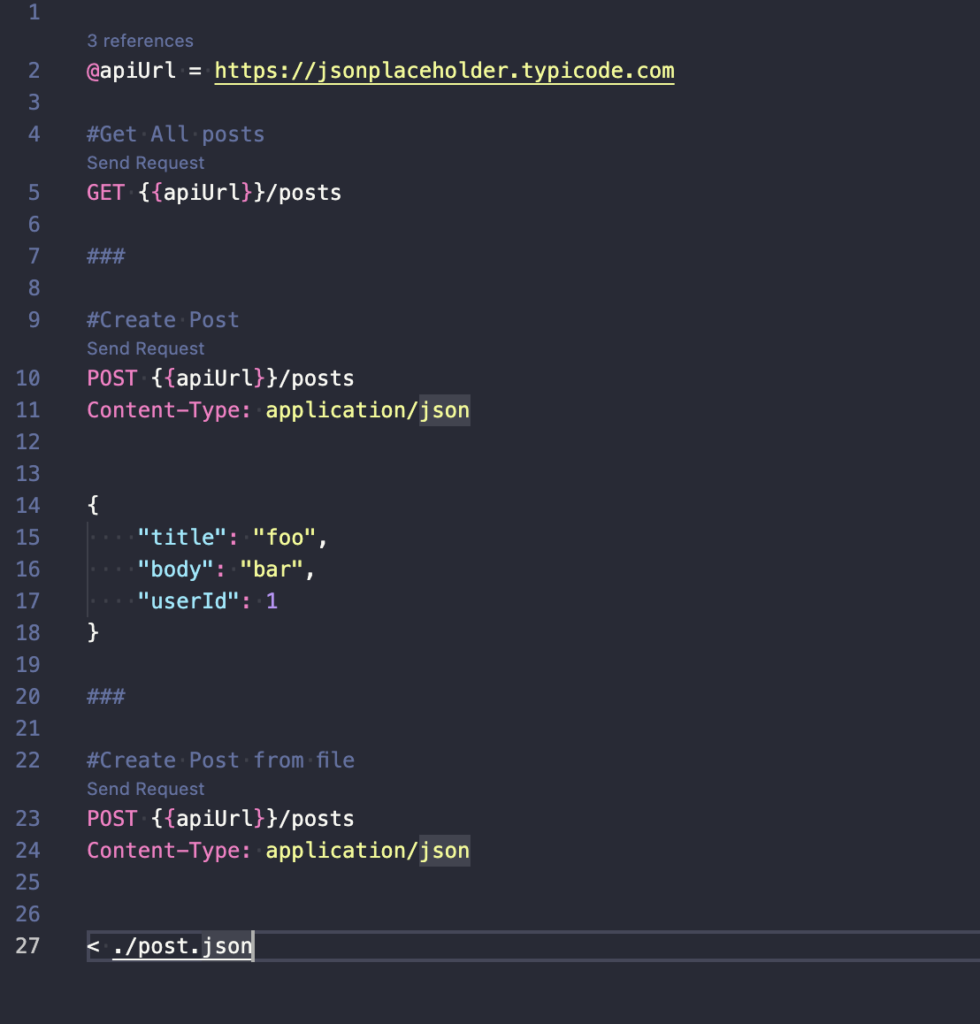
When we want to place more than one HTTP request in one document, just separate them using a triple hash(###)
More advanced examples
Multiple queries and variables
We define variables using @ . Through variables we can refer to:
- Variables created locally in a file
- Environment variables so we can easily switch URLs for example
- Predefined random variables, for example
{{$randomInt min max}} - System variables, for example
DOTNET_ENVIRONMENT
When we want to make a POST request and create a resource, all we need to do is specify the appropriate HTTP headers and provide the body. We can also load bodies from a file
Export to cURL command
Another functionality worth knowing is the ability to generate cURL requests for our queries. All we need to do is run the Command Palette (F1 by default) and execute the command Rest Client: Copy Request As cURL

Thanks to this, we can use cURL in the command line :)
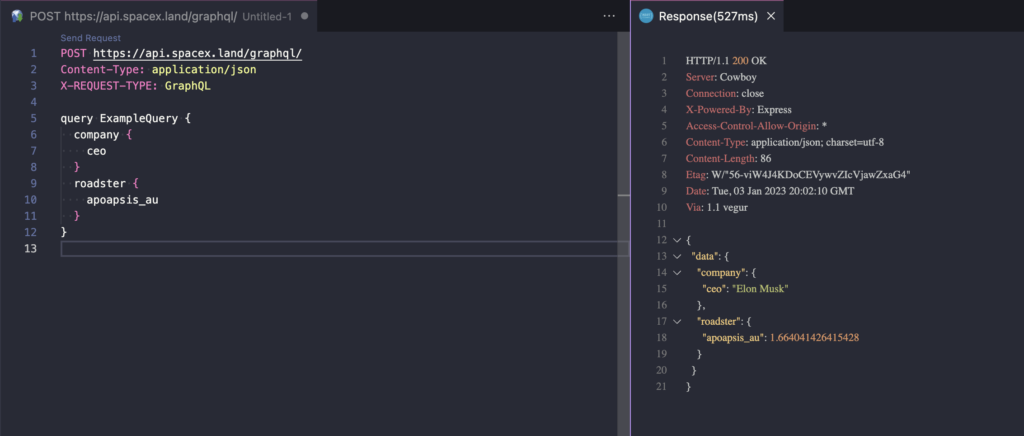
GraphQL support
Since GraphQL is also transported via HTTP, we can also query the graph API using VSCode.
Generating code shipments
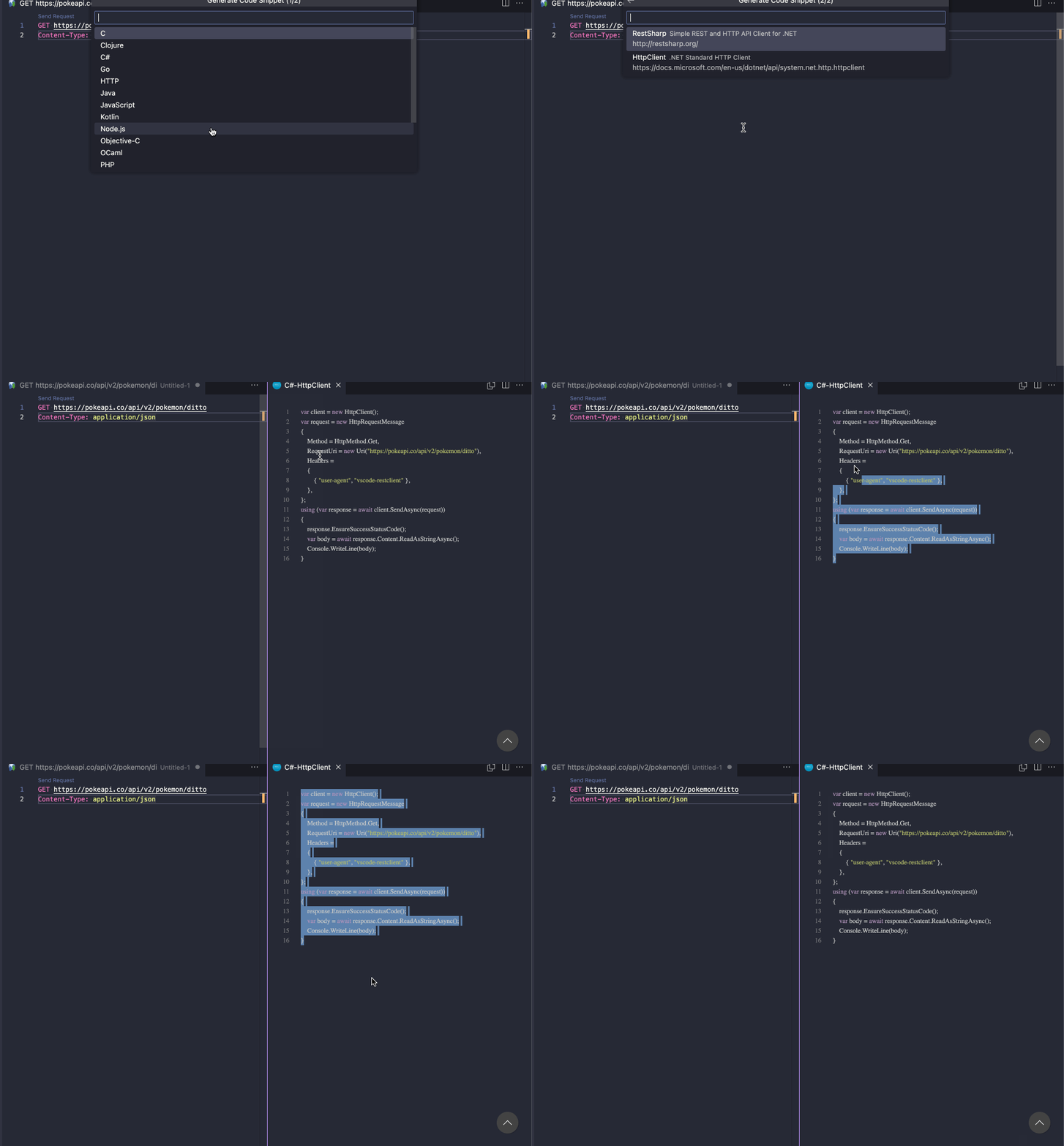
The extension also allows you to generate customer shipments for the endpoints that we have in the file. The list of supported languages is long. Including Java, C#, JavaScript, Python, etc.
But what's the point of all this?
In my opinion, the ability to create files with REST queries has opened a door that allows me to keep a basic test set for Endpoints in the repository, so I don't have to run another tool.
Moreover, thanks to the fact that these are formally test files, it is quite easy to version your or your team's handy set of queries.